


Arrays
The sketcher provides two array tools for creating parametric arrays: Circular Array and Array Along Curve.
Circular Arrays
The Circular Array tool (G+Y) creates a parametric polar array from the current selection:
- Select the entities you want to array.
- Activate the tool from the toolbar, the Sketch → Arrays menu, or
G+Y. - A guide circle appears on the canvas and a non-modal dialog opens with a live preview.
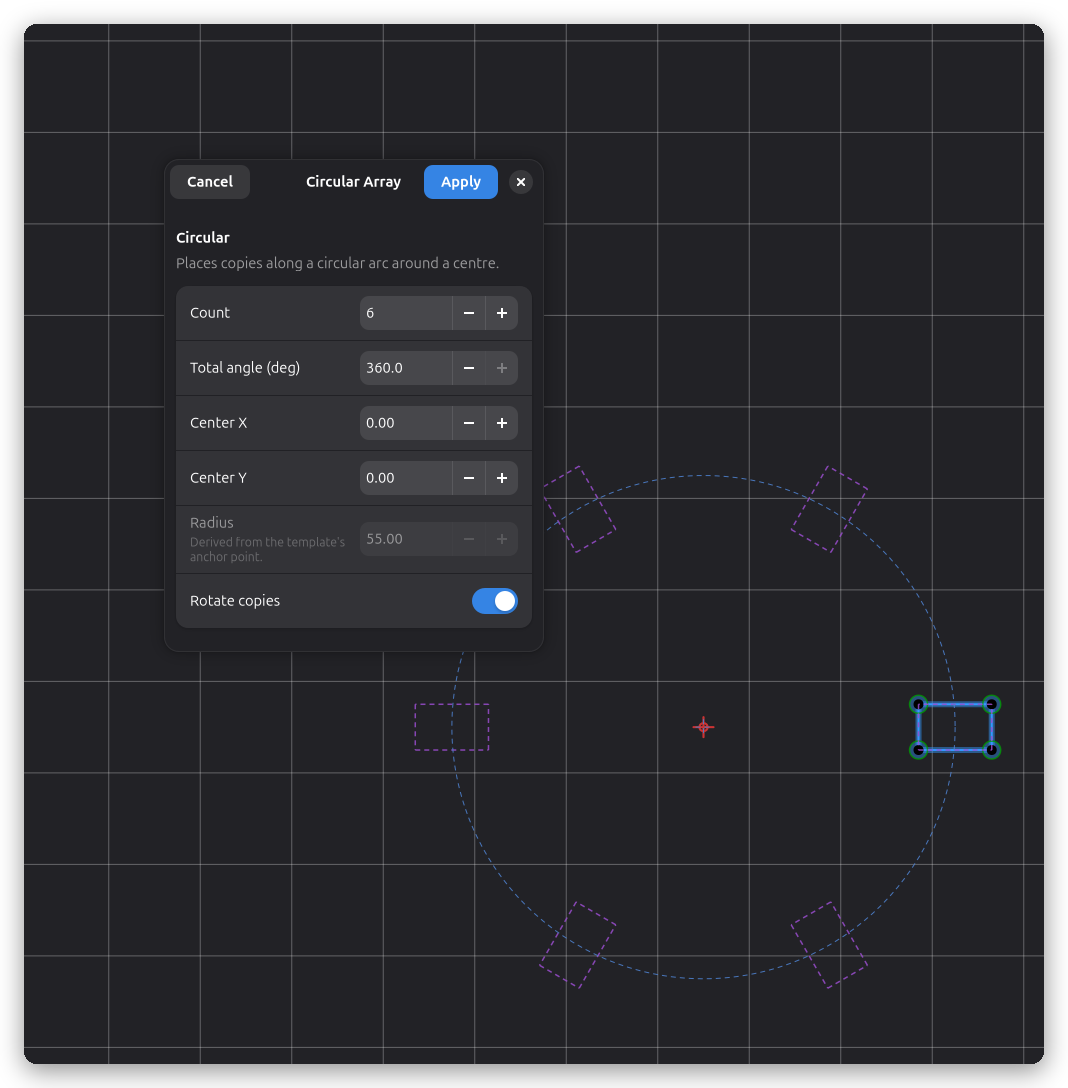
- Set the count and total angle. Copies are generated parametrically around the guide circle's center.
- Drag the guide circle's center to reposition the array, or drag the original entity to change the radius — the dialog fields update live.
- The guide circle's radius dimension resizes the whole array. Double-click the guide circle to reopen the edit dialog and regenerate missing or re-distribute members.
Copies are static baked geometry with no solver constraints: they are regenerated from the template when the array is edited. Deleting a member removes only that member's geometry and never redistributes the survivors.
Text boxes can be arrayed like any other entity. Editing the template's text content or font propagates to all copies, and the copies follow the template's frame, so they rotate around the guide circle as a group.
Array Along Curve
The Array Along Curve tool distributes copies of one or more entities along a guide path (a line, arc, or bezier curve). The copies are placed directly on the path and follow its tangent at each position.
Creating a Array Along Curve
- Draw the shape you want to distribute (the seed) and the guide path you want to follow.
- Select both: first click the guide path, then shift-click the seed entities.
- Activate the tool from the toolbar, the Sketch → Arrays menu, or
G+W. - A non-modal dialog opens showing a live preview with copies distributed along the path.
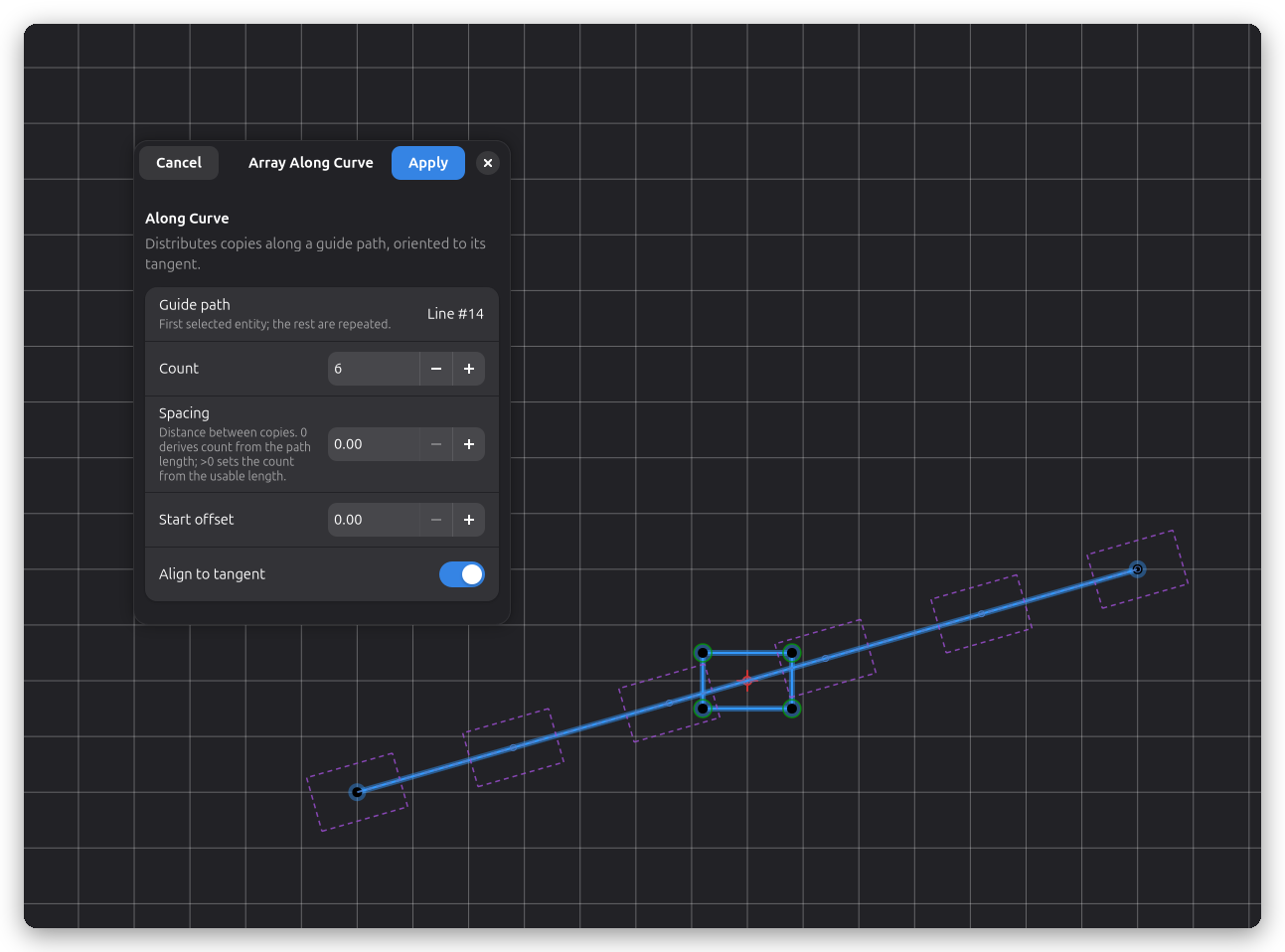
- Adjust the count (total members including the template at the path start) or set a spacing value to derive the count automatically from the path length.
- Optionally enable Align to tangent so each copy rotates to follow the path's direction at its position.
- Use Offset from start to skip a leading section of the path before placing the first copy.
Editing a Array Along Curve
- Double-click the guide path (or click Edit in the toolbar) to reopen the dialog and change count, spacing, offset, or alignment settings.
- Drag any endpoint of the guide path to reshape it. When you release, all copies are automatically redistributed along the new path geometry — including rotation updates when Align to tangent is enabled.
- The seed shape can be edited like any other sketch geometry; changes propagate to all copies on the next update.
How It Works
Copies are static baked geometry — they are not linked to the template through solver constraints.
When the guide path is edited, sync_arrays detects the change and regenerates all copies from
scratch using the current path geometry. This keeps updates fast and avoids solver overhead.
The template (slot 0) is placed at the path start. Its position and orientation update automatically when the path is edited. The original seed entities are removed when the array is created; undo restores them.