


Arrays
The Array feature lets you create multiple copies of selected workpieces using three different layout modes. Each mode opens a non-modal dialog, so you can continue interacting with the canvas while adjusting parameters — the preview updates in real time.
To open an array dialog, select one or more workpieces on the canvas, then choose the array mode from the toolbar or the right-click context menu.
All array modes are non-modal. You can drag items on the canvas while the dialog is open, and the preview will update live to reflect the new positions.
Grid
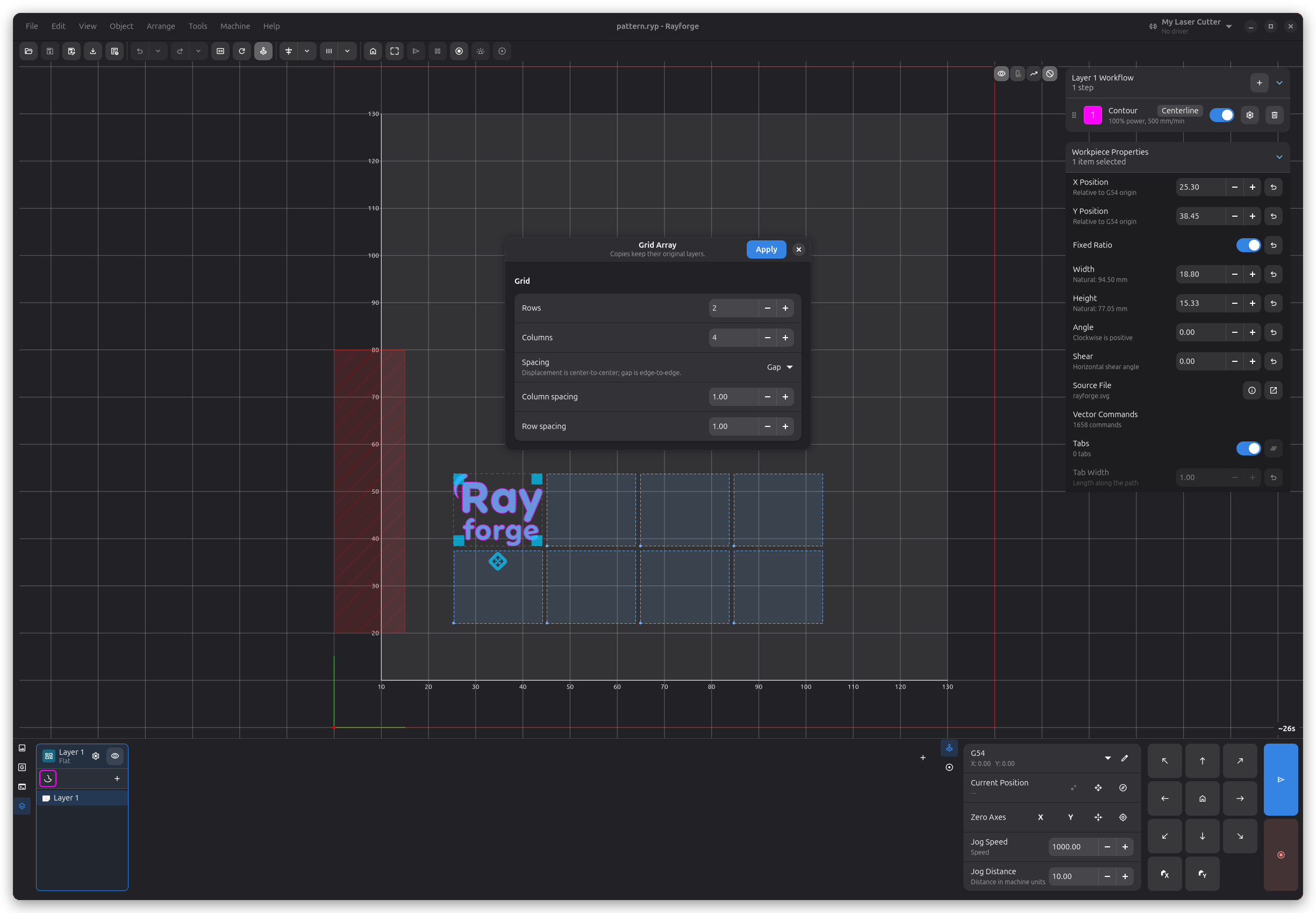
The Grid mode arranges copies in a rectangular matrix of rows and columns, with configurable horizontal and vertical spacing.
Settings
| Setting | Description |
|---|---|
| Rows | Number of rows (1–360) |
| Columns | Number of columns (1–360) |
| Spacing mode | Choose between Gap (space between copies) or Pitch (distance from edge to edge of each copy) |
| Column spacing | Horizontal spacing between columns |
| Row spacing | Vertical spacing between rows |
Point Rotation
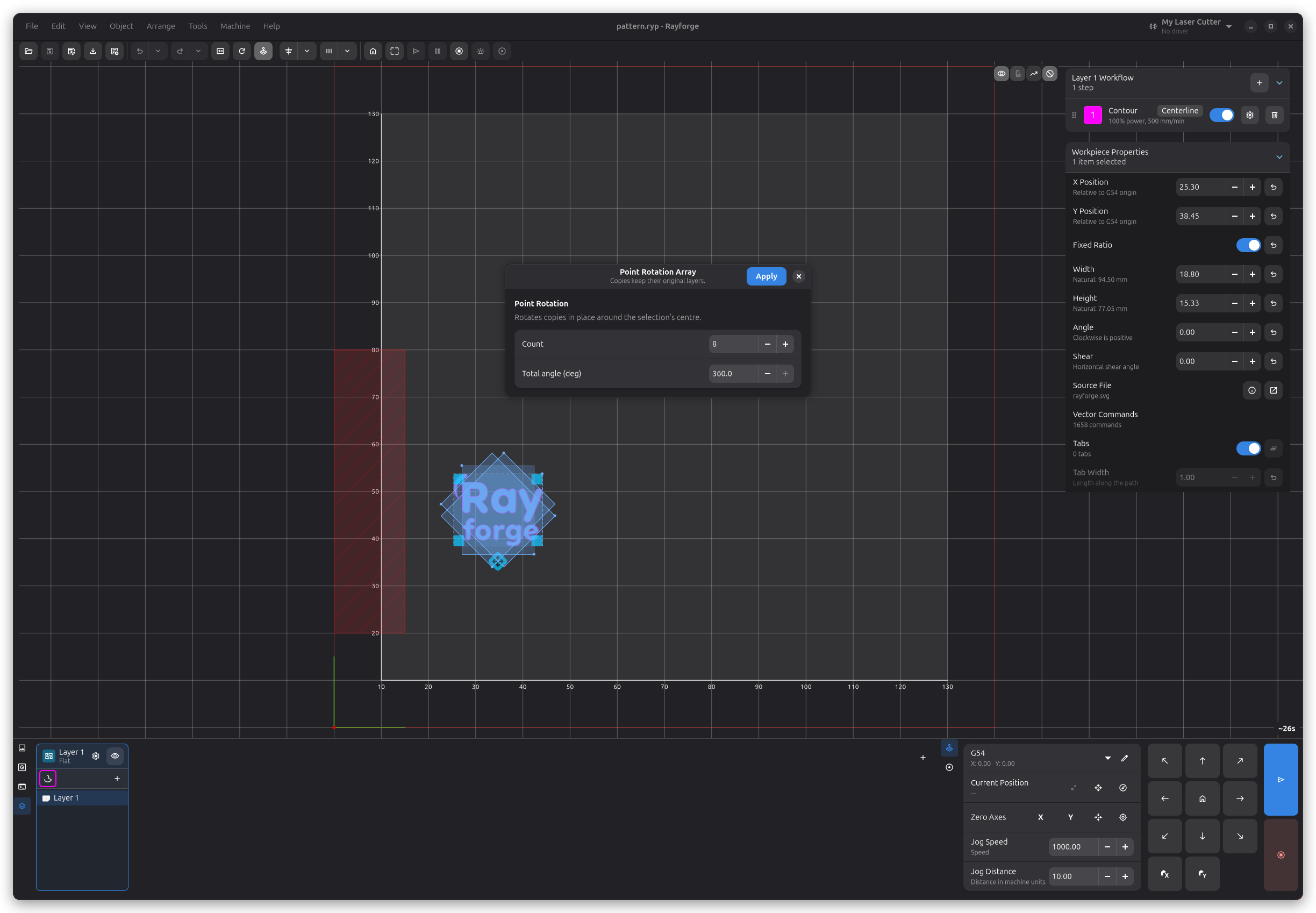
Point Rotation creates copies by rotating them in place around the selection's own centre. This is useful for creating circular patterns where each copy stays at the original location but is rotated by a fraction of the total angle.
Settings
| Setting | Description |
|---|---|
| Count | Number of copies (1–360) |
| Total angle (deg) | Total angular spread of all copies (−360° to 360°) |
Since the rotation is around the selection's own centre, dragging the workpiece on the canvas moves all copies together while the dialog stays open.
Circular
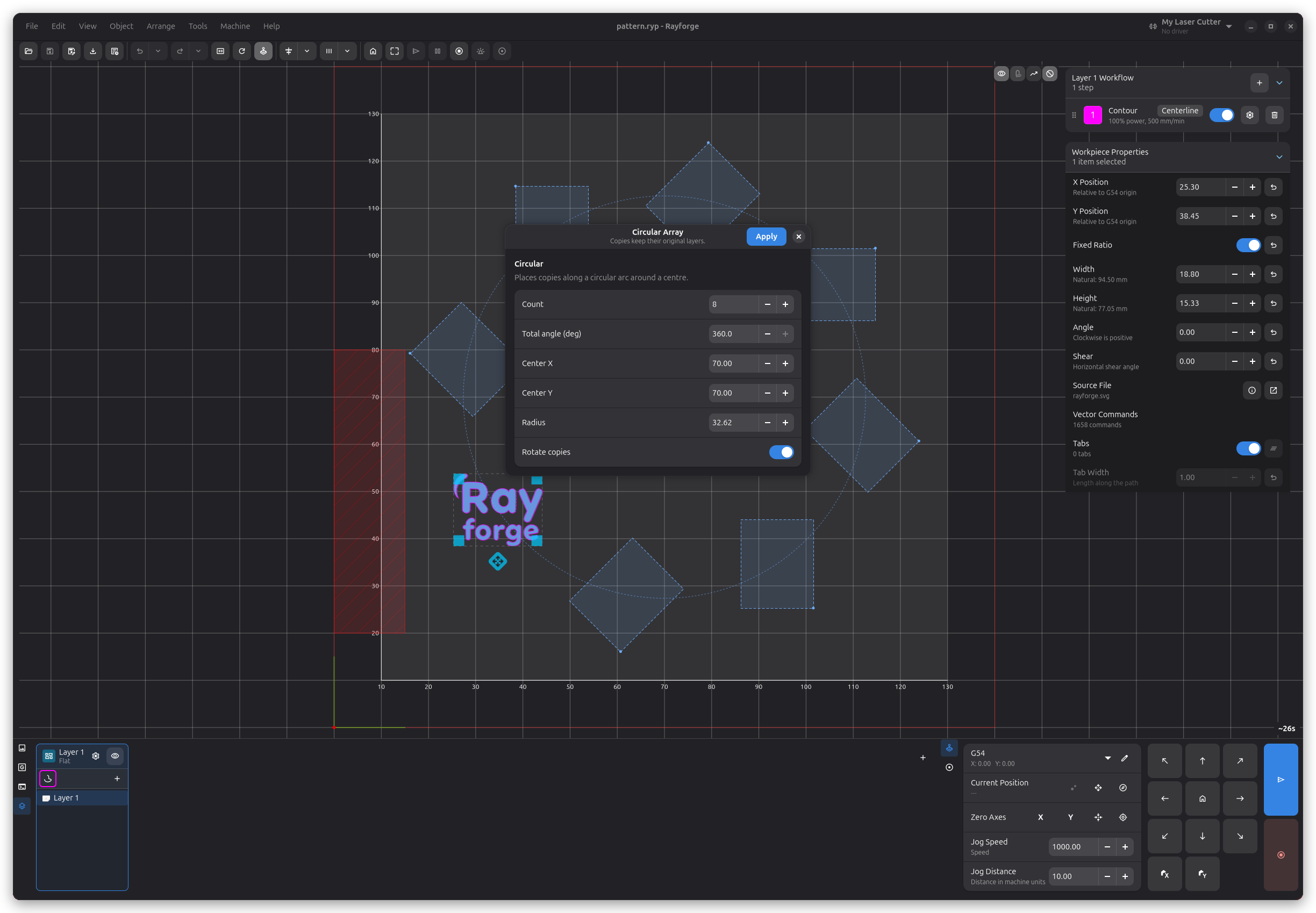
Circular mode places copies along a circular arc around a centre point. A crosshair marker on the canvas shows the centre, and you can drag it to a new position while the dialog is open.
Settings
| Setting | Description |
|---|---|
| Count | Number of copies (1–360) |
| Total angle (deg) | Angular spread of the arc (−360° to 360°) |
| Center X | X coordinate of the circle centre |
| Center Y | Y coordinate of the circle centre |
| Radius | Radius of the circular path |
| Rotate copies | When enabled, each copy is rotated to follow the arc tangent |
The crosshair on the canvas represents the circle centre. Drag it to reposition the array interactively — the Center X and Center Y fields in the dialog will update automatically.
You can also drag the original workpiece on the canvas. The radius will update automatically to keep the copies at their current distance from the centre.