


AI Workpiece Generator
Create laser-cut designs from text descriptions using artificial intelligence.
Overview
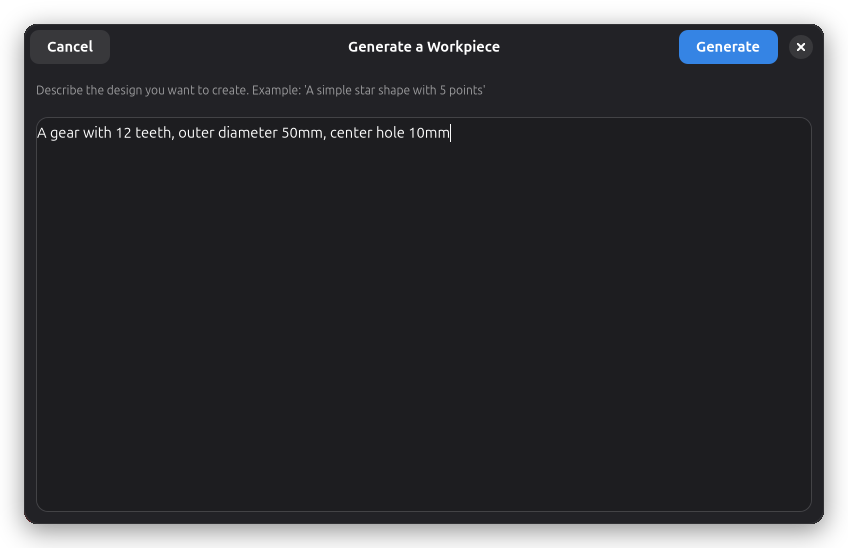
The AI Workpiece Generator addon lets you create designs by simply describing what you want. Type a description like "a simple star shape" or "a gear with 8 teeth" and the AI will generate a workpiece ready for your laser cutter.
Requirements
Before using this addon, you need to configure an AI provider. See AI Provider for setup instructions.
Using the Generator
- Open the AI Workpiece Generator from the Tools menu
- Enter a description of the shape you want to create
- Specify the dimensions in millimeters
- Click Generate to create your design
- The generated workpiece will appear on your canvas
Tips for Best Results
- Be specific: "a 5-pointed star with sharp points" works better than "a star"
- Keep it simple: The AI works best with straightforward geometric designs
- Specify details: Include important details like number of teeth, corners, or symmetry
- Use physical descriptions: Describe the shape, not the cutting parameters
Example Prompts
- "a simple heart shape"
- "a gear with 12 teeth"
- "a hexagon with a circular hole in the center"
- "an arrow pointing right"
- "a snowflake with 6 arms"
Related Topics
- AI Provider - Configure AI providers
- Sketcher - Draw shapes manually