


Settings
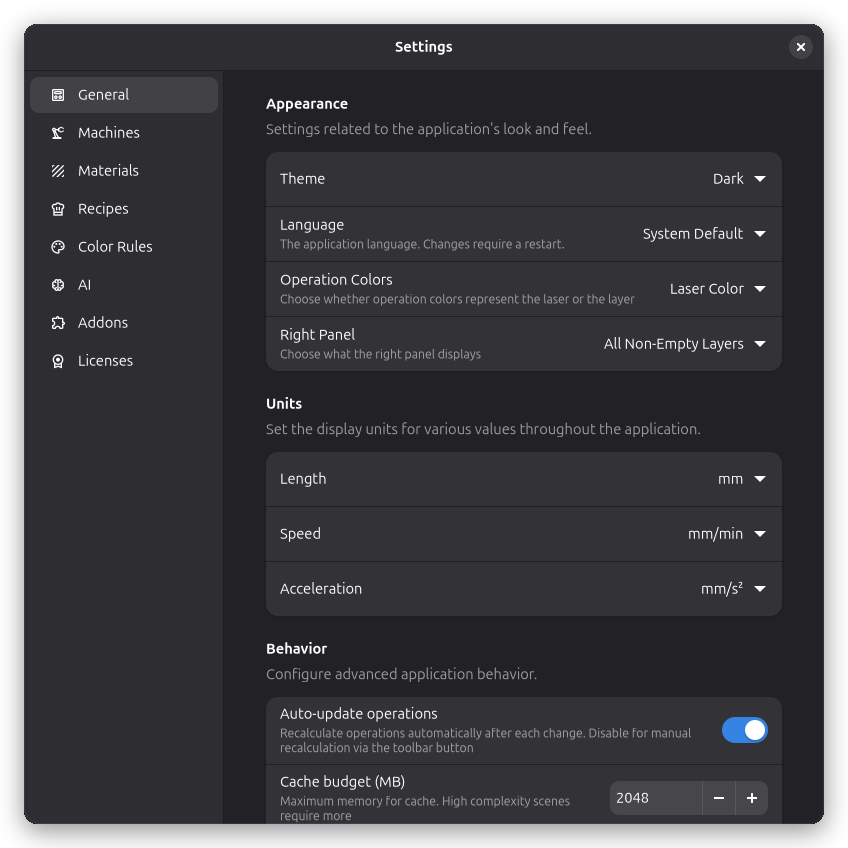
Customize Rayforge to match your workflow and preferences. Open the settings dialog via Edit → Settings or press ctrl+comma.
General
The General page contains application-wide settings.
Appearance
Choose between System, Light, or Dark theme to match your desktop environment or personal preference. You can also configure Operation Colors to use either the laser color or the layer color for visual distinction on the canvas.
Units
Configure the display units used throughout the application. You can set separate units for length (millimeters, inches, etc.), speed (mm/min, mm/sec, inches/min, etc.), and acceleration (mm/s², etc.).
Behavior
By default, operations are recalculated automatically after every change. If you work on a slower machine or with very complex documents, you can disable Auto-update operations and trigger recalculation manually via the toolbar button instead.
Rayforge can Check for updates automatically on startup. When enabled, you will be notified when a new version is available.
You can also configure Startup behavior — start with an empty workspace, reopen your last project, or always open a specific project file. Note that files specified on the command line will always override these settings.
Privacy
Rayforge can send anonymous usage data to help improve the application. No personal information is collected. You can toggle Report Anonymous Usage on or off at any time. See the usage tracking page to learn more about what data is collected and how it is used.
Other Settings
The settings dialog also includes pages for managing other parts of the application. Each has its own dedicated documentation:
- Machines — add, remove, and configure your laser cutters
- Materials — manage your material libraries
- Recipes — manage saved operation recipes
- Color Rules — map SVG colors to step types
- AI Providers — configure AI providers for use by addons
- Addons — install, update, and remove extension addons