


Addons
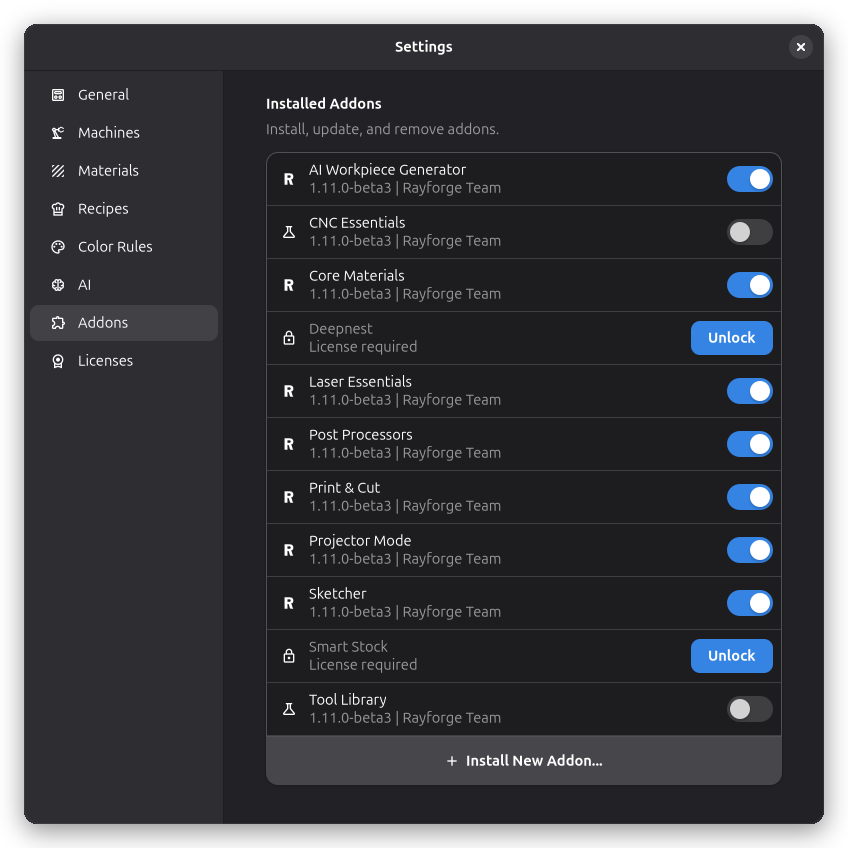
The Addons page shows installed extension addons and allows you to manage them.
Overview
Addons are extensions that add functionality to Rayforge. They can provide:
- New operations
- Import/export filters
- Machine drivers
- UI enhancements
- Material libraries
Installed Addons
The addon list shows all installed addons with:
- Name: The addon's display name
- Version: Current installed version
- Description: Brief description of functionality
- Status: Whether enabled or disabled
Managing Addons
Installing Addons
- Click the Install button
- Select an addon file (
.zipor addon repository) - Confirm the installation
- Wait for the installation to complete
Updating Addons
When updates are available, an indicator appears in the Addon Registry dialog. Click Update to install available updates.
Removing Addons
- Select the addon to remove
- Click the Remove button
- Confirm the removal
warning
Removing an addon may affect documents that use its features.
Addon Sources
Addons can be installed from:
- Repositories: Git repositories containing addons
- Official registry: Curated addons from the Rayforge team