


Notes
The Notes page in Machine Settings keeps all information about your machine in one place. It combines your own notes with the guidance that ships with your machine's device profile.
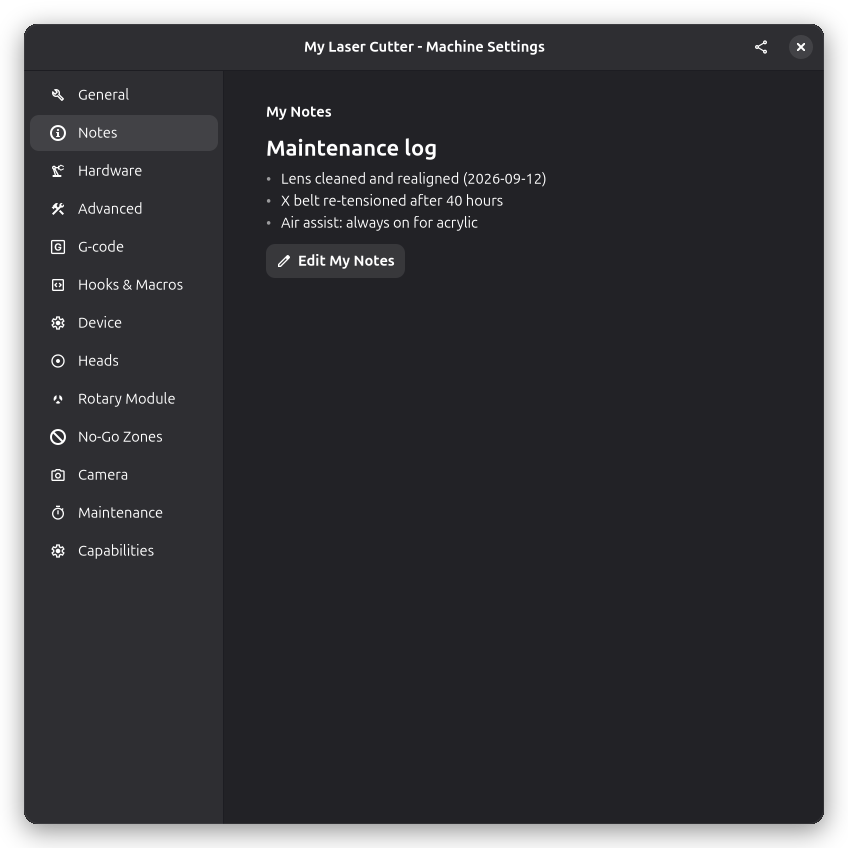
My Notes
My Notes is your personal notebook for the machine — maintenance you performed, settings that worked well for a material, spare part orders, or anything else worth remembering. Notes are written in Markdown and rendered directly on the page.
Click Edit My Notes to open the editor. It shows the raw Markdown on the left and a live preview on the right, with a toolbar for the supported formatting: headings, bold and italic text, bulleted and numbered lists, links, inline code, fenced code blocks, quotes, and expandable details sections. The layout can be switched between side by side and stacked.
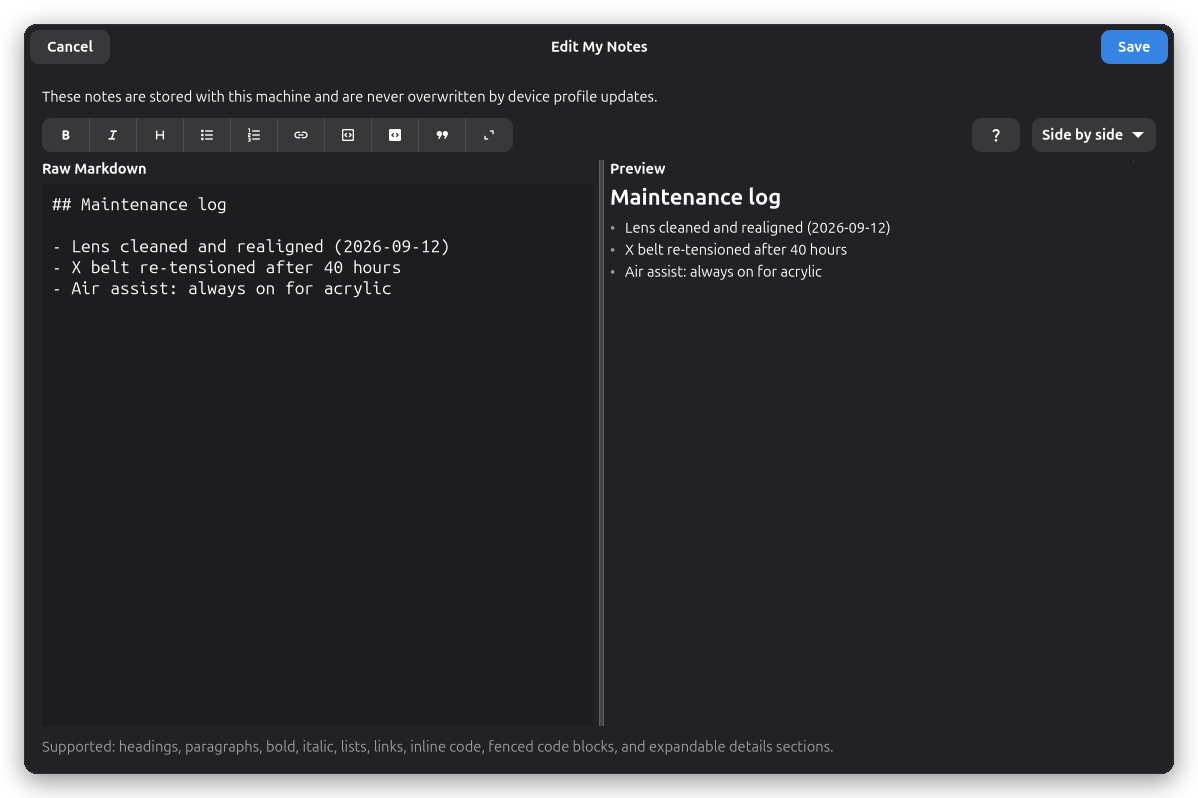
Your notes are stored with the machine and are never overwritten by device profile updates, so updating a profile leaves them untouched.
Device Notes
Machines created from a device profile that ships setup guidance show it here as read-only Device Notes — for example step-by-step setup instructions or usage tips for that specific machine. The group is hidden for machines without profile guidance.
Device Notes are maintained by the profile: when the profile is updated, the guidance is refreshed automatically. They cannot be edited here.
Setup Wizard
When you create a machine with the setup wizard, the profile's guidance is shown on the review page before the machine is created, so you can read it during setup. It remains available afterwards on the Notes page.
See Also
- General Settings - Driver selection and machine name
- Device Settings - Read and write firmware settings on the controller