


G-code Settings
The G-code page in Machine Settings configures how Rayforge generates G-code for your machine.
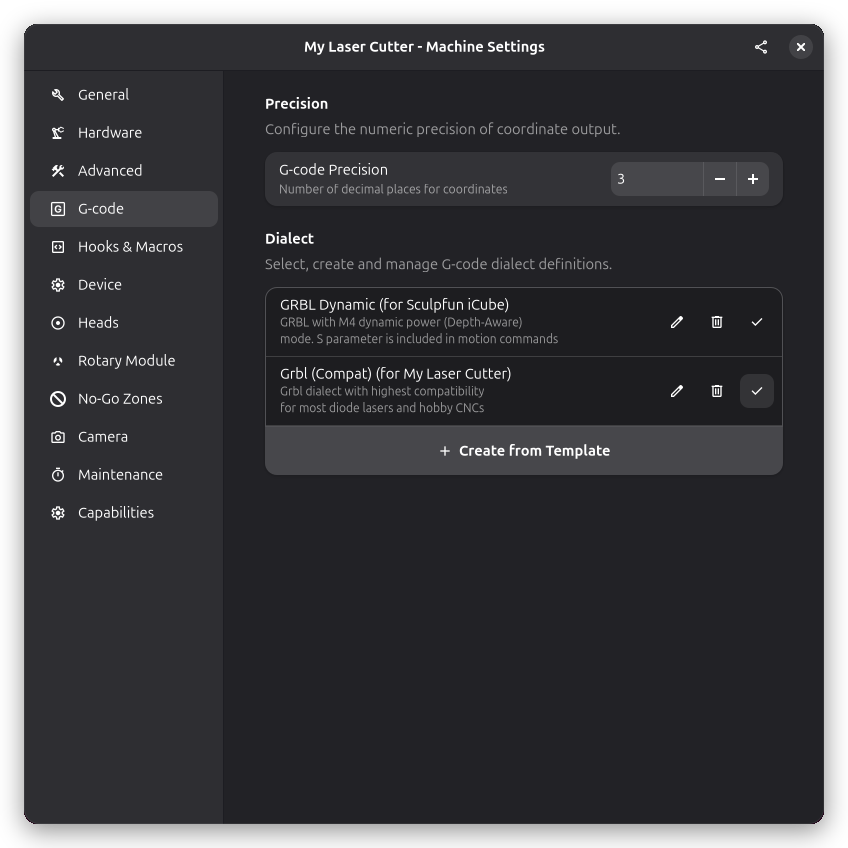
This page is only shown for machines that use G-code-based drivers (e.g. GRBL, Smoothieware, Marlin). If your machine uses a non-G-code driver (e.g. Ruida), this settings page is hidden entirely.
G-code Dialect
Select the G-code dialect that matches your controller firmware. Different controllers use slightly different commands and formats.
Available Dialects
- Grbl (Compat): Standard GRBL dialect for hobby laser cutters. Uses M3/M5 for laser control.
- Grbl (Compat, no Z axis): Same as Grbl (Compat) but without Z-axis commands. For 2D-only machines.
- GRBL Dynamic: Uses GRBL's dynamic laser power mode for variable power engraving.
- GRBL Dynamic (no Z axis): Dynamic mode without Z-axis commands.
- LinuxCNC: For LinuxCNC controllers. Supports native cubic Bézier (G5) curves.
- Smoothieware: For Smoothieboard and similar controllers.
- Marlin: For Marlin-based controllers.
The dialect affects how laser power, movements, and other commands are formatted in the output G-code.
Dialect Preamble and Postscript
Each dialect includes customizable preamble and postscript G-code that runs at the start and end of jobs.
Preamble
G-code commands executed at the beginning of every job, before any cutting operations. Common uses include setting units (G21 for mm), positioning mode (G90 for absolute), and initializing the machine state.
Postscript
G-code commands executed at the end of every job, after all cutting operations. Common uses include turning off the laser (M5), returning to origin (G0 X0 Y0), and parking the head.
See Also
- G-code Basics - Understanding G-code
- G-code Dialects - Detailed dialect differences
- Hooks & Macros - Custom G-code injection points