


Advanced Settings
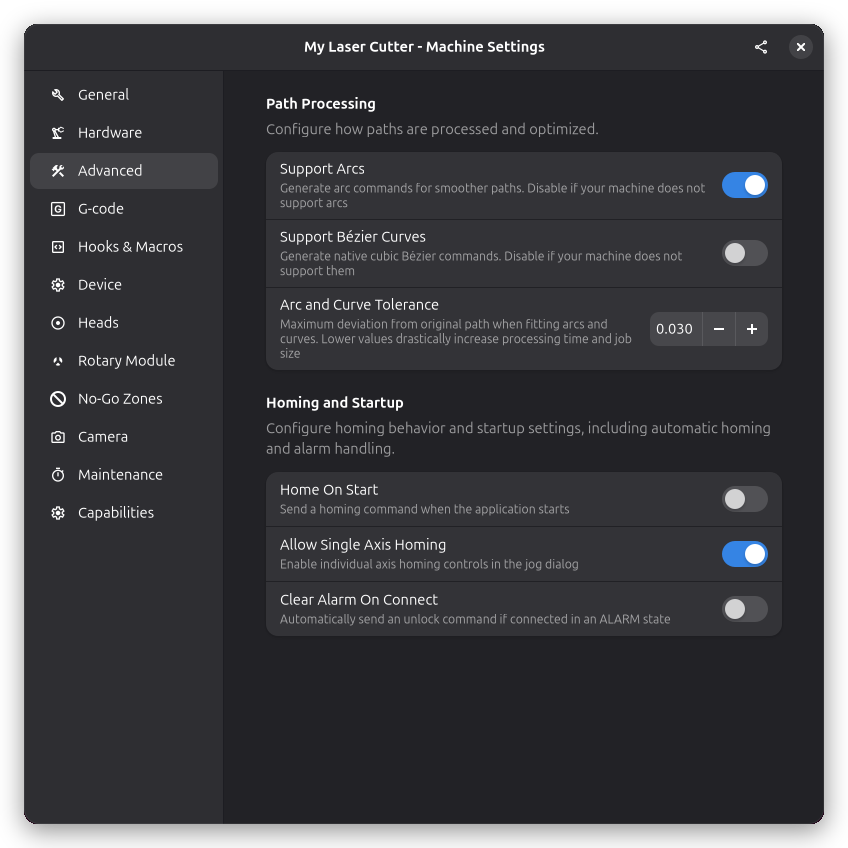
The Advanced page in Machine Settings contains additional configuration options for specialized use cases.
Connection Behavior
Settings that control how Rayforge interacts with your machine during connection.
Home on Connect
When enabled, Rayforge automatically sends a homing command ($H) when connecting to the machine.
- Enable if: Your machine has reliable limit switches
- Disable if: Your machine has no limit switches or homing is unreliable
Clear Alarms on Connect
When enabled, Rayforge automatically clears any alarm state when connecting.
- Enable if: Your machine frequently starts in alarm state
- Disable if: You want to manually investigate alarms before clearing
Allow Single Axis Homing
When enabled, you can home individual axes independently (X, Y, or Z) rather than requiring all axes to home together. This is useful for machines where one axis may already be positioned correctly.
Arc and Curve Settings
Settings for controlling how curved paths are converted to G-code movements.
Support Arcs
When enabled, Rayforge generates arc commands (G2/G3) for curved paths instead of breaking them into many small linear moves. This produces more compact G-code and smoother motion on most controllers.
When disabled, all curves are converted to linear segments (G1 commands), which provides maximum compatibility with controllers that don't support arcs.
Support Bézier Curves
When enabled, Rayforge generates native cubic Bézier commands (such as the G5 command used by LinuxCNC) for curved paths. This produces very smooth motion and compact G-code on controllers that support it. You should disable this setting if your machine's firmware does not understand Bézier commands, in which case the curves will be broken down into linear segments instead.
Arc and Curve Tolerance
This setting controls the maximum allowed deviation when fitting arcs and curves to curved paths, specified in millimeters. A smaller value produces more accurate paths but may require more commands. A larger value allows more deviation but generates fewer commands.
Typical values range from 0.01mm for precision work to 0.1mm for faster processing.
See Also
- Hardware Settings - Axis origin and flip settings
- Device Settings - GRBL-specific settings