


Knife Cutting
Rayforge can drive knife holders as well as lasers. Two built-in steps cut vector outlines with a knife: Drag Knife Cut for a trailing-blade holder and Tangential Knife Cut for a rotary, motor-driven blade. Knife steps only appear on machines with a matching knife head, so a machine can mix laser and knife operations in the same project.
Requirements
- A machine with a Drag Knife or Tangential Knife head. Add the head in Machine Settings → Heads with Add New Head.
- A G-code controller that can move the machine without a laser. Knife steps cut on the centerline and do not use laser power.
- The built-in Drag Knife addon. It ships with Rayforge; if it was disabled, enable it under Settings → Addons.
Setting Up a Knife Head
- Open Machine → Current Machine Settings → Heads.
- Click Add New Head and choose Drag Knife or Tangential Knife.
- Give the head a name. For a drag knife, enter the Blade Offset: the distance between the blade tip and the machine's pivot point.
- Close the settings. The matching knife steps are now offered when you add an operation.
The knife head is also a machine capability: operations that need a knife are only available while the active machine has one.
Drag Knife Cut
A drag knife has a blade that trails behind the pivot point. Rayforge compensates for the offset automatically, so the blade follows the outline instead of the pivot.
- Select the outlines to cut.
- Add a Drag Knife Cut operation.
- Pick the Knife head, and set Blade Offset, Safe Z Height, Swivel Angle and the cut speed.
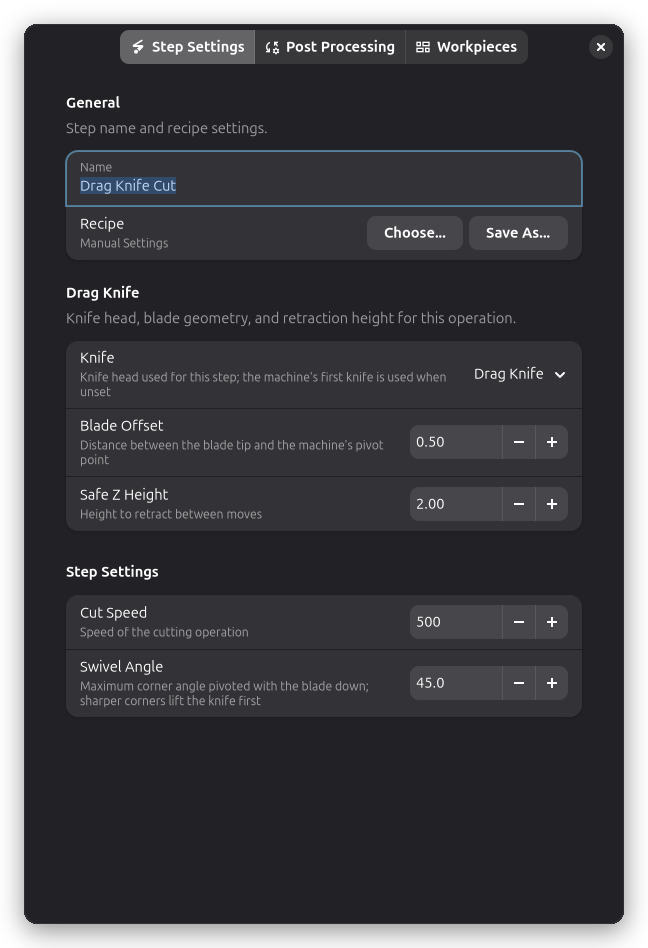
The step rewrites each contour into the path the machine must follow: an arc-in aligns the blade with the first cut direction, straight segments are shifted forward by the blade offset, corners within the swivel angle are pivoted with the blade down, sharper corners lift and pivot in the air, and an arc-out overcuts the end of the path.
Set Blade Offset from the holder's documentation or measure it. Too small a value leaves rounded corners; too large a value overshoots them. Swivel Angle limits how far the blade pivots while it is down; sharper corners lift the knife first so the blade does not drag sideways.
Tangential Knife Cut
A tangential knife has a motor that rotates the blade to stay tangent to the path. The step adds the path heading as an A axis value to every cutting move, so the controller can turn the blade.
- Select the outlines to cut.
- Add a Tangential Knife Cut operation.
- Pick the Knife head, and set Angle Tolerance, Radius Tolerance, Spindle RPM, Safe Z Height and the cut speed.
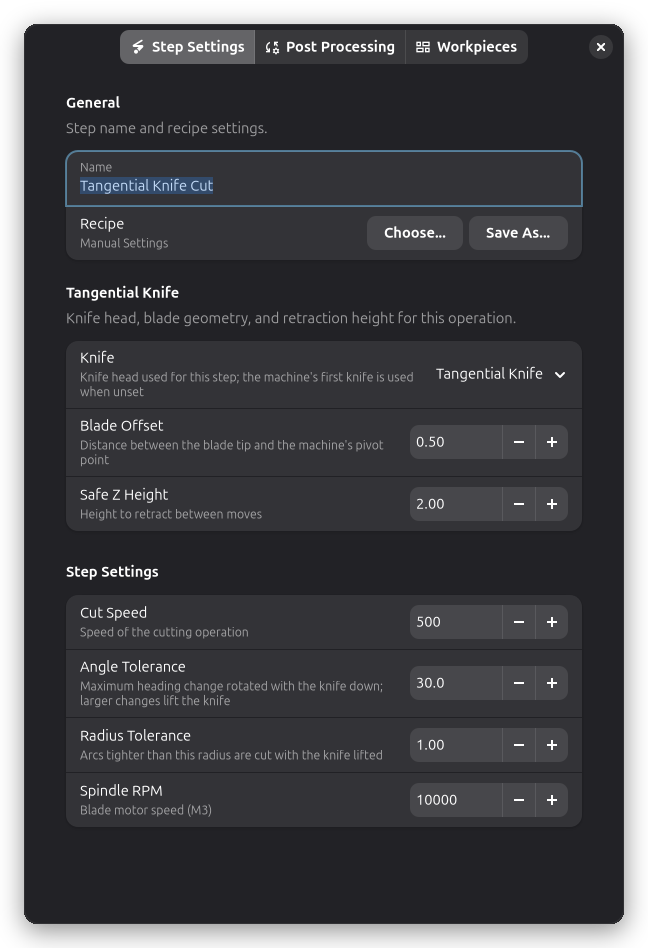
Heading changes larger than Angle Tolerance or arcs tighter than Radius Tolerance lift the knife to the safe Z, rotate it and plunge back in. Smaller changes rotate the blade in place with the knife down. Spindle RPM is emitted as an M3 command for the blade motor; Rayforge never uses M4, because the blade motor runs clockwise only.
Tips
- Run the job at reduced speed first, especially on thick or fibrous material.
- Use a sacrificial cutting mat or a shallow depth setting so the blade does not score the bed.
- Knife steps are ordinary G-code operations: they can be combined with laser steps, reordered, duplicated, and saved in recipes like any other operation.